
Payment Options
Make payments via Instant Pay
1.
Step 1
Go to your Tambadana account and open the "Active loan" page. Next, click the "Pay now" button below: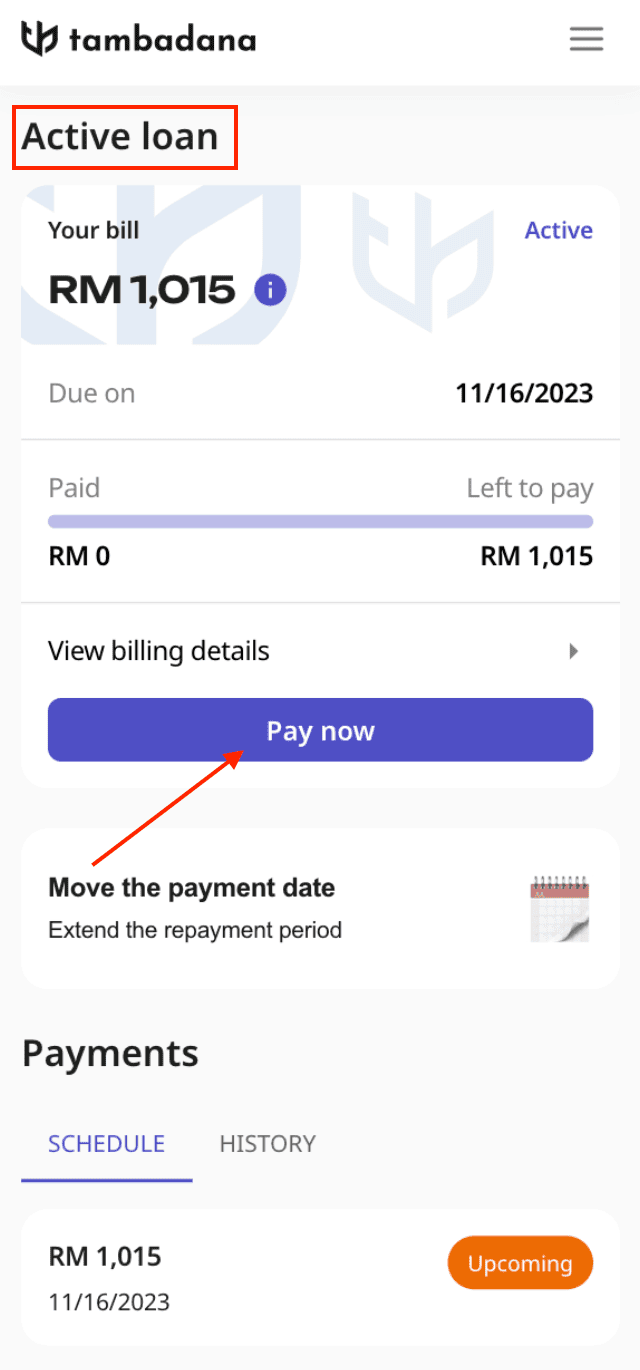
2.
Step 2
Choose the Instant Pay payment option: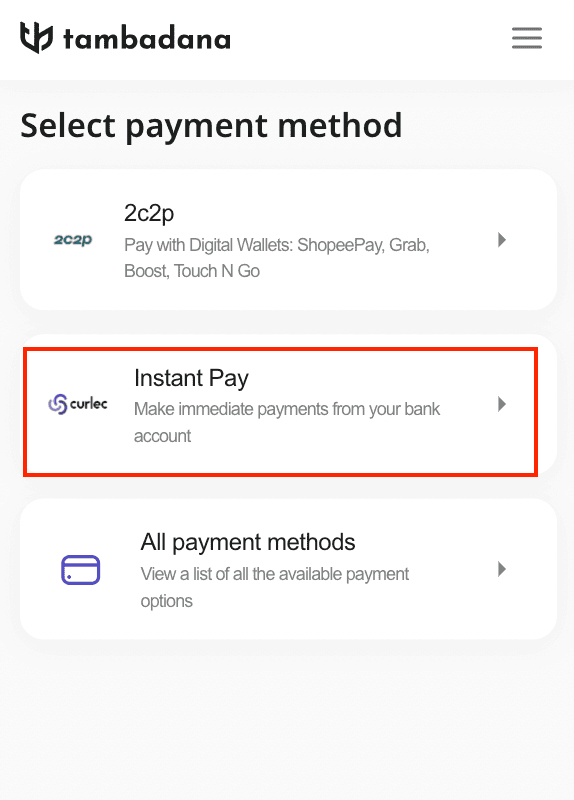
3.
Step 3
Enter the payment amount in the designated field and click the "Next" button below: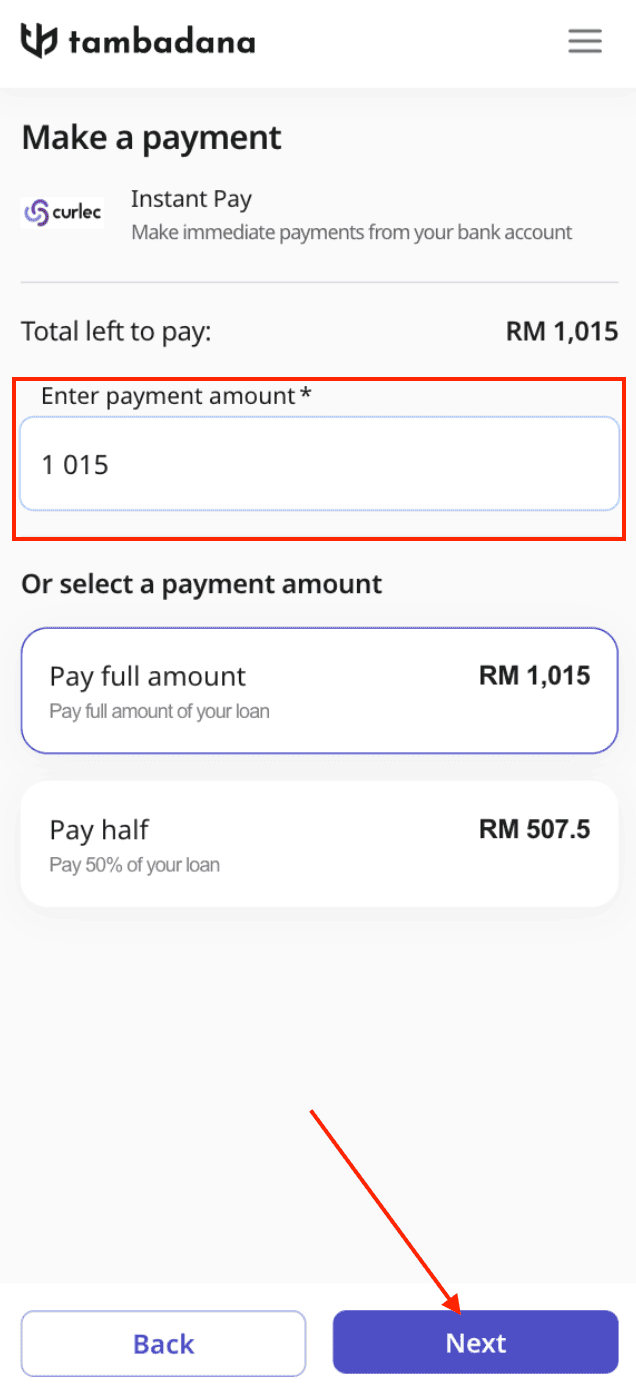
4.
Step 4
Choose your bank from the available options. Next, click the "Pay" button. It will become available once a bank is chosen:
5.
Step 5
Confirm the transaction in your bank.
